
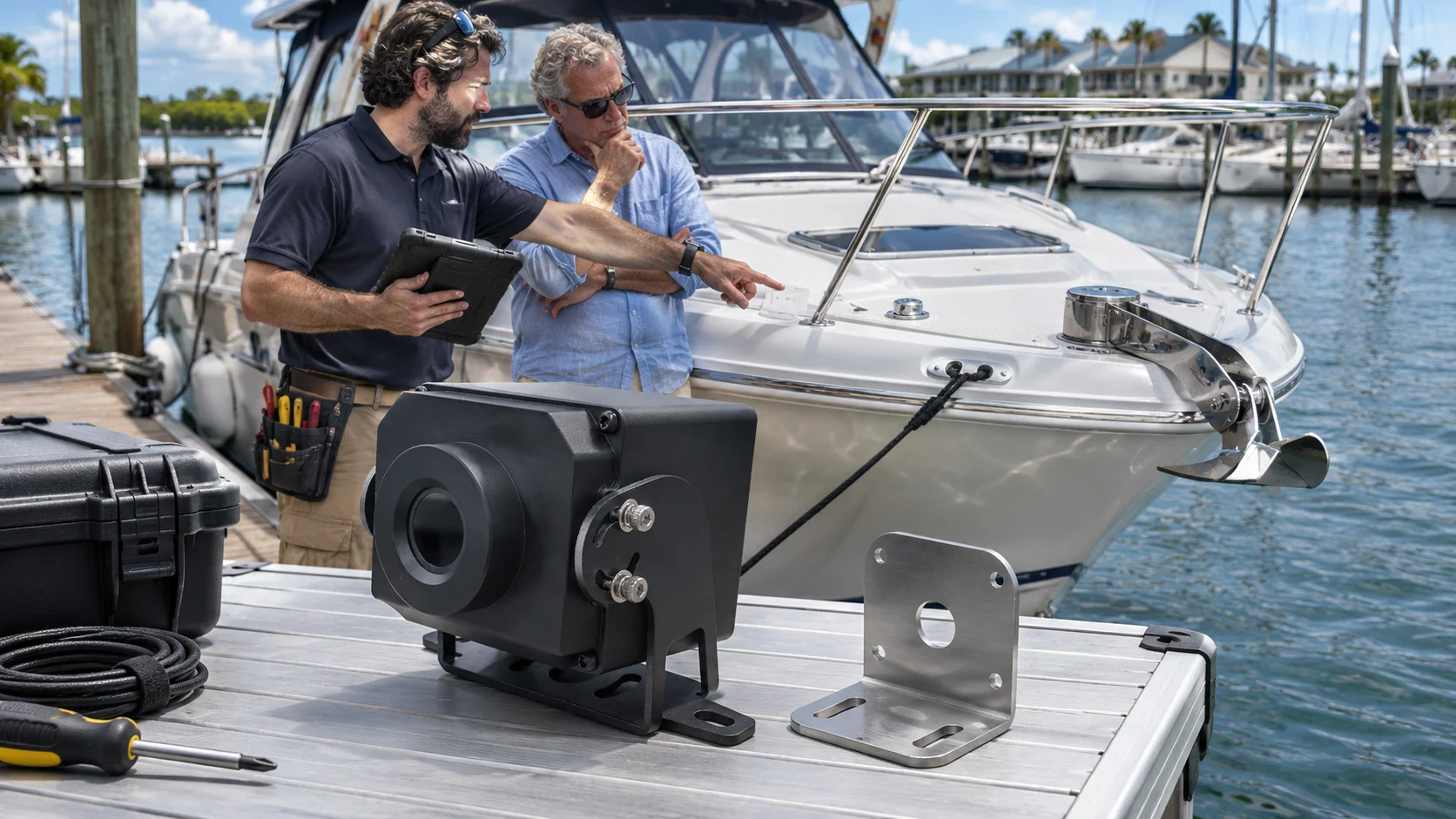
Your customer casts off after dark. No ambient light, no horizon reference, and dock lights glare across the windshield. Call it night blindness on water, and it turns a routine departure into a tense one.
Clear night departures come down to four things: a thermal camera with strong thermal sensitivity and resolution, AI-assisted target detection, marine-grade construction, and clean network integration. You specify the forward-looking observation setup on recreational boats, so this guide compares low-light and thermal options fairly. It also gives you a selection checklist covering specs, AI, fit, compliance, and cost. A well-chosen “AI thermal camera marine thermal camera boat night vision” package supports safer navigation at night.
Key Takeaways
Thermal cameras detect heat, not light, so they work even on moonless nights.
Prioritize thermal sensitivity and resolution first for clear images.
AI highlights targets but cannot guarantee spotting every obstacle.
Choose marine-grade cameras with sealed housings and network integration.
Budget for the full system, including installation and display integration.
Thermal vs. Night Vision on Water
Limits of Low-Light Cameras
Low-light cameras amplify the small amount of ambient light available after sunset. That design works well on a moonlit approach to a familiar dock. It struggles when the scene offers almost no light to amplify. Marine visibility challenges grow sharper in that condition, and the image turns grainy and flat.
Glare is the second limit. A bright dock light or a neighboring boat’s floodlight can bloom across the sensor and wash out the very area you need to watch. Low-light and night vision technology still earn a place on many boats for general awareness and close-quarters work. You should simply match the tool to the light conditions your customer actually faces.
What Thermal Imaging Sees
Thermal imaging reads heat signatures instead of reflected light. A warm engine, a person, or a sun-warmed piling stands out against cooler water. This is why thermal technology holds up in complete darkness, when no ambient light exists to amplify. The camera builds contrast from temperature difference, not from illumination.
That difference defines where each option fits. Low-light gear suits well-lit marinas and short hops. Thermal cameras suit unlit channels, open water, and any departure where the horizon disappears. The table below sets the two side by side.
Factor | Low-Light / TNV | Thermal Imaging |
|---|---|---|
Light dependence | Needs ambient light | None; works in complete darkness |
Range in total darkness | Falls off sharply | Holds up across the scene |
Glare and light bloom | Prone to bloom | Largely unaffected by visible light |
Target detection in clutter | Depends on contrast and light | Depends on temperature difference |
Cost | Generally lower entry cost | Higher unit cost |
A thermal camera gives your customer a reliable picture for night navigation. Pair it with a low-light view where the budget allows, and each covers the other’s weak spot.
Core Specs for a Marine Thermal Camera
Resolution, Sensitivity, and Refresh Rate
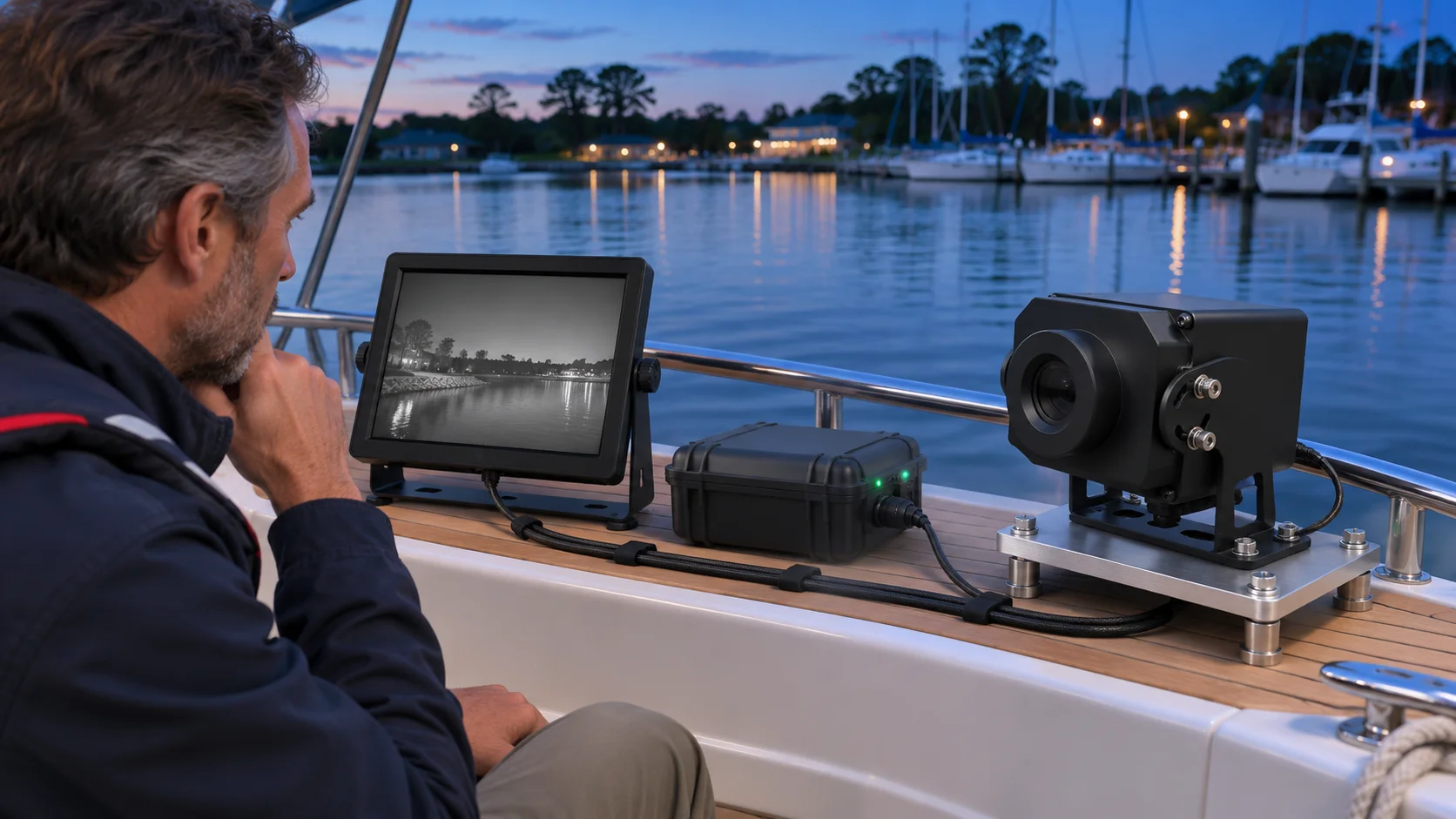
Three sensor numbers decide how much detail your customer actually sees. Resolution sets the pixel grid. Thermal sensitivity, quoted as NETD, sets the smallest temperature difference the detector can resolve. Refresh rate sets how smoothly a moving target tracks across the display.
Resolution choices cluster around 640×480, 320×240, and 160×120 pixels. A higher count puts more pixels on a distant buoy or piling, so the shape reads clearly instead of smearing into a blob. Sensitivity below 25 mK is excellent. A lower NETD value means the sensor separates a slightly warm object from cool water with less noise. Refresh rate matters most when the boat moves or the target moves. A faster frame rate keeps a crossing vessel or a channel marker steady on screen instead of stuttering.
Balance the three against each other. A high-resolution sensor with weak sensitivity still produces a noisy picture on a cold, humid night. A sensitive sensor with a slow refresh rate frustrates the helmsman during close maneuvering. Ask your supplier for a demonstration of all three together, not a spec sheet in isolation.
Lens, Field of View, and Temperature Difference
Field of view determines how much water the camera covers at once. A wider field of view suits close maneuvering at the dock, where pilings, mooring lines, and neighboring hulls sit near the boat. A narrower field of view suits distance viewing in the channel, where the customer needs to pick out a marker far ahead. Match the lens to the departure profile, and consider a dual-FOV model when the same boat does both.
Temperature difference drives detection. A buoy, piling, vessel, or person stands out only when its surface temperature differs from the water background. On a warm evening, water and air sit close together, and contrast drops. On a cool night, a warm engine block or a person glows against the surface. Ambient light level does not change this physics, which is why thermal imaging holds up when visible light fails.
Field of view and temperature difference interact. A wide lens spreads the same detector pixels across more water, so each target occupies fewer pixels and small temperature differences get harder to resolve. A narrow lens concentrates pixels on a distant target and preserves contrast. Explain this trade-off to your customer before you finalize the lens choice. The right marine thermal cameras pair a lens with the sensor resolution that keeps targets readable at the range the owner actually runs.
Test the combination on the water at the hour your customer departs. A thermal camera that performs at the dock may behave differently in the channel. Confirm the field of view covers the approach lane, and confirm the sensor resolves the smallest object the owner expects to see. These checks protect your specification and give the boat owner confidence on every night departure.
AI Features in an AI Thermal Camera Marine Thermal Camera Boat Night Vision Setup
Automatic Target Detection
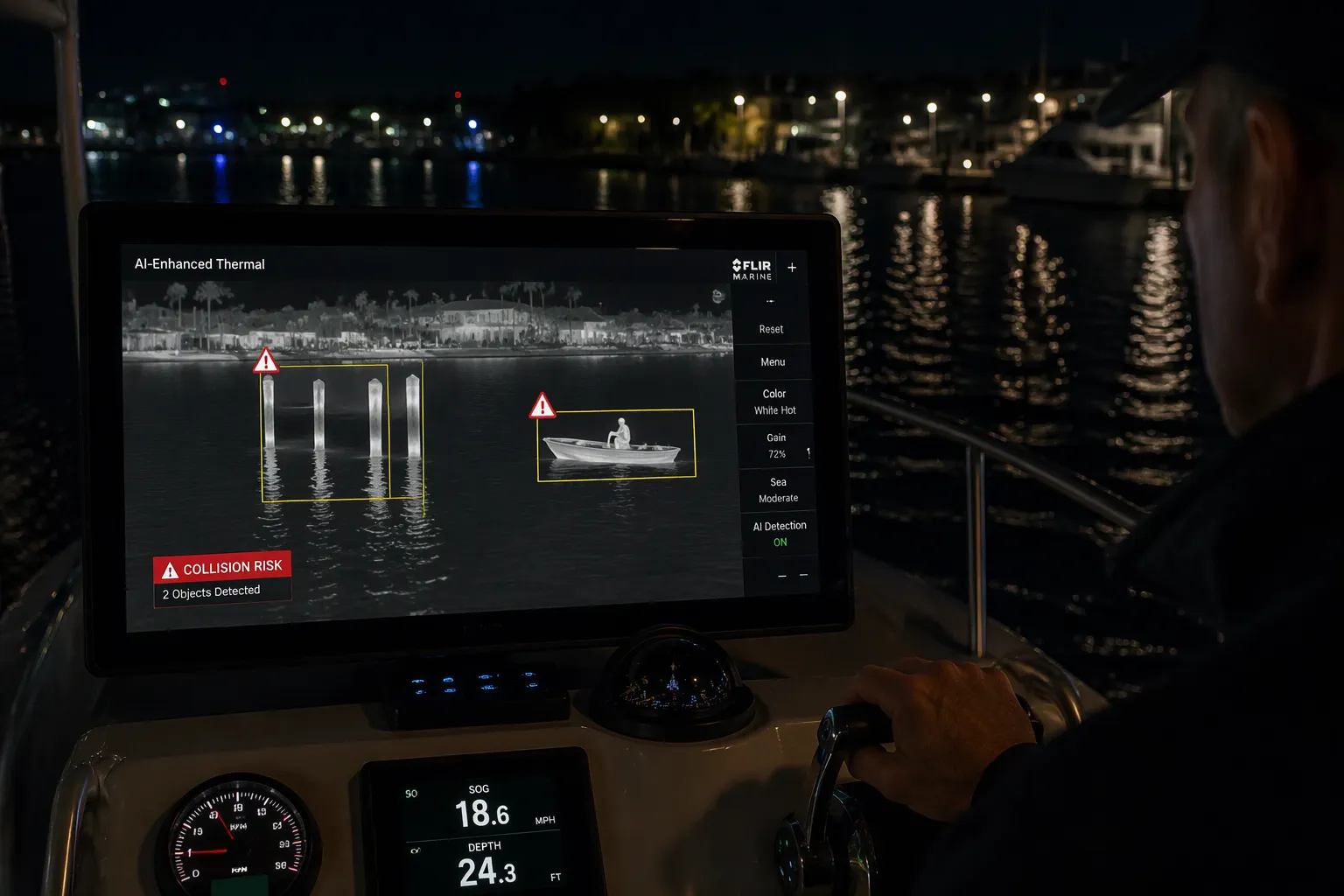
Thermal imaging gives you the raw heat picture. AI recognition adds a layer of interpretation on top of that picture. Keep the two separate in your own mind, and explain the split clearly to your customer. The sensor detects temperature difference. The software then classifies shapes and highlights candidates on the display.
At the dock, this layer earns its keep. An unlit piling, a mooring float, or a darkened skiff can blend into the background on a raw thermal view. The AI outlines these candidates with a box and draws the helmsman’s eye to them. In the channel, the same logic flags vessels ahead and helps the owner hold a steady course. This is where an ai thermal camera marine thermal camera boat night vision setup moves from a passive viewer to an active assistant.
Set expectations honestly. AI recognition improves awareness of unlit objects, yet it cannot promise detection of every driftwood log, buoy, or person in the water. Treat the highlight as a prompt to look, not a guarantee. A good demo shows the system under real harbor clutter, so your customer sees the actual hit rate before purchase.
Collision Alerts and Alarm Logic
Alarm logic decides when the system speaks up. A well-tuned setup ranks targets by closing risk and alerts early enough for the helmsman to act. That timing matters most during a night departure, when reaction distance shrinks and the horizon disappears.
False alarms erode trust fast. Wakes, reflections, and dock lights can trigger naive detectors. Strong AI filters these out and keeps the alert list short. Your customer then pays attention to the alerts that matter. Pair the alarm with a clear audio tone and an on-screen marker, and the helmsman gains seconds of warning instead of a screen full of noise.
The payoff reaches beyond navigation. A system that tracks warm shapes near the boat supports man overboard response, because a person in the water shows up as a bright target against cool water. Frame this as enhanced visibility for the crew, not a substitute for watchkeeping. Collision avoidance still rests on the helmsman’s eyes, radar, and sound signals. The camera adds a thermal layer that helps boats run safer after dark, and it gives the owner confidence on every departure.
Boat Type and Departure Fit for Marine Thermal Night-Vision Cameras
Fit by Boat Type and Helm Layout
Boat type shapes the departure profile, and the departure profile shapes the camera choice. A center console runs short, open-water hops with the helm exposed to spray. An express cruiser leaves a lit marina and heads for a dark channel. A sportfisher departs before dawn and needs range down the inlet. A commercial workboat operates in harbor clutter at all hours. Each case sets a different demand on field of view, mounting height, and display placement.
Match the helm layout to the view. A single-station center console needs a compact display near the wheel. A flybridge cruiser may want the feed repeated at both stations. Plan the cable route before you order hardware, and confirm the display sits inside the helmsman’s natural scan.
Mounting, Durability, and Network Integration
The marine environment punishes hardware. Salt fog, vibration, and spray attack every seam and connector. Specify marine-grade models with a sealed housing and a corrosion-resistant shell. Stainless steel construction in 304 or 316L grade resists salt attack, and an electropolished finish adds further protection. Look for these housing credentials:
Ingress protection rated IP66, IP67, or IP68
Impact resistance to IK10
Shock tested to U.S. Navy MIL-DTL-901E
Vibration tested to MIL-STD-167-1A
Corrosion protection rated C5-High marine-grade
Salt-spray exposure of 2,000 hours continuous
A fixed-mount TNV style camera with RJ45 network video and DC12V power is one example of a forward-looking observation setup on recreational boats. The network feed lands on an existing chartplotter or MFD, so the owner keeps one screen for navigation and thermal imaging. Confirm the MFD accepts the video stream before installation day.
Compliance and Certification
Certifications to Confirm
Regulatory compliance protects your customer and your installation. Confirm the camera carries FCC certification for the United States market. This mark shows the device meets limits for electromagnetic interference. For European customers, verify the CE mark. This declaration confirms conformity with applicable health, safety, and environmental directives.
Ingress protection ratings matter on the water. An IP66 rating resists powerful water jets. An IP67 rating survives temporary immersion. An IP68 rating handles continuous submersion under defined conditions. Salt fog, spray, and rain attack every exposed surface, so a sealed housing with a high IP rating keeps the electronics dry.
Ask your supplier for test documentation. Relevant marine equipment standards cover vibration, shock, and corrosion resistance. A camera built to these standards holds up through years of marine service. The certification record also supports your customer’s insurance and warranty claims. Keep the paperwork on file for every unit you specify.
Watchkeeping Rules to Respect
A thermal camera improves visibility after dark. It does not replace the watchkeeping duties that maritime rules require. The helmsman must still maintain a proper visual lookout by sight and hearing. Radar watchkeeping remains mandatory where rules apply. The camera adds a thermal layer to that routine, and it supports better night navigation decisions.
Explain this boundary to your customer before delivery. A camera supplements the required lookout. It never substitutes for it. The owner still needs to post a lookout, use radar, and sound proper signals. Frame the camera as an aid that sharpens awareness on every night departure. This honest positioning builds trust and keeps expectations realistic.
Cost and Value Trade-Offs
Full-System Budget Line Items
Quote the whole system, not the camera alone. A complete forward-looking setup carries five cost lines, and each one affects the total your customer approves.
Line item | What it covers |
|---|---|
Sensor, lens, housing, and connector set | |
AI/software licensing | Detection and alarm features, where licensed separately |
Mounting and cabling | Bracket, sealed cable runs, and connectors |
Display or MFD integration | New display or configuration of an existing screen |
Installation labor | Rigging, routing, commissioning, and sea trial |
The camera unit anchors the budget, yet the other four lines decide whether the installation succeeds. A premium sensor with a rushed cable route invites water ingress and callbacks. Price the mounting hardware and the labor honestly, and your quote holds up after commissioning.
Where Spending More Pays Off
Compare tiers by capability, not by brand name. An entry tier typically pairs a smaller detector with a fixed lens and basic video output. A premium tier adds higher resolution, better thermal sensitivity, a narrower or dual field of view, and stronger AI filtering. Each step up buys a specific gain: more pixels on a distant marker, cleaner contrast on a humid night, or fewer false alarms in harbor clutter.
Spend first on the sensor. Resolution and sensitivity set the ceiling on everything the software can do afterward. Spend second on AI features the owner will actually use at the dock and in the channel. Save on cosmetics and on displays the helm already has. A fixed-mount TNV unit with RJ45 network video and DC12V power keeps the integration line lean, because the feed lands on an existing MFD. Build the quote around capability, and the boss can defend every line to the customer.
Validate Before You Buy
Demo and Sea-Trial Conditions
A showroom demo tells you very little about performance after dark. Push for a trial on the water at night, in real harbor clutter, at the departure speeds your customer actually runs. Ask the dealer to run the boat through spray or light rain during the test. These conditions reveal how the camera handles a wet lens and a moving platform.
Test a real target at the required range in two sea states. Compare a clean window against a salt-filmed window, and record detection and tracking as separate results. Note the roll angle and the display latency during each run. A land-based range test is not a maritime validation, so insist on real target, real sea state, real platform motion, and a salted window. If the salt film costs you the target, the cleaning interval becomes part of your system specification.
Dealer Questions to Ask
Put the same questions to every dealer you shortlist, and compare the answers side by side:
What target size and range did the demo define?
How did the camera perform across day, night, and low sun?
Did the trial cover humidity, spray, and platform vibration?
How does the image hold up with a clean window versus a salted one?
What salt-fog and corrosion protection does the housing carry?
How do you measure detection and tracking separately?
The answers expose whether the demo reflects your customer’s departure profile. A dealer who tests in calm daylight and calls it done has not shown you the visibility your customer needs after dark.
Book a demo on your own water, or download our selection checklist before you commit. A trial under real conditions protects the specification and the boat owner alike.
Prioritize thermal sensitivity and resolution first. Confirm the AI features your customer will actually use. Verify sealed build and network integration. Check certifications. Budget for the full system, not just the camera.
The right thermal camera turns a stressful night departure into a routine one for the boat owner. A well-specified ai thermal camera marine thermal camera boat night vision package gives the helmsman a clear view after dark. Marine thermal cameras earn their place on boats that leave the dock without ambient light.
Request a demo on your own water, talk to a specialist, or compare models side by side.
FAQ
Does a thermal camera work with no ambient light at all?
Yes. A thermal sensor reads temperature difference, not reflected light. A warm hull, piling, or person stands out against cooler water even on a moonless departure. You get a usable picture when visible-light cameras see almost nothing.
Can AI recognition guarantee it will spot every obstacle?
No. AI highlights candidate targets and ranks closing risk, yet it cannot promise detection of every log, buoy, or person in the water. Treat each highlight as a prompt to look. Test the hit rate in real harbor clutter before you commit.
Will the camera see through dense fog?
Do not promise that. Thermal contrast depends on temperature difference, and heavy fog scatters and absorbs energy. The camera helps in light mist and spray, yet dense fog still demands reduced speed, radar, and a proper lookout.
How does the camera connect to an existing helm display?
A fixed-mount TNV unit streams video over RJ45 network cable and draws DC12V power. The feed lands on a compatible chartplotter or MFD, so the owner keeps one screen. Confirm the display accepts the stream before installation day.
Which certifications should I confirm before ordering?
Check FCC for the U.S. market and CE for Europe. Verify the IP rating suits spray and rain, and ask for salt-fog and vibration test records. Keep the paperwork on file for warranty and insurance claims.